Latest posts
-
Missing Footnotes, Empty Table Cells, and Stale Index Pages After IDML Translation
A translated InDesign document comes back with a footnote number but no text, an empty table cell, or an index page that is blank or still in the source language. There are four questions to ask, in this order: Was…
-
How to Check a Translated InDesign File in a Language You Cannot Read
A translated InDesign file comes back from the vendor. You are responsible for it, and you cannot read it. Most of the advice I found on this question ends the same way: have a native speaker review it. That is…
-
Why IDML Formatting Can Produce Translation Tags, and What to Check in InDesign
A document goes out for translation as IDML and the translator writes back: the file is full of tags. Some segments have a tag pair around a single letter. Others have a dozen tags in one sentence. The translator asks…
-
Comparing InDesign Files After Translation: What to Check
A document goes out for translation as an InDesign file and comes back as an InDesign file. In between it went through a translation workflow: exported to IDML (InDesign's interchange format, a ZIP of XML files), split into segments, translated,…
-
Seeking Testers: Comparing IDML Files Before and After Translation
I'm developing a tool that compares two IDML files: the InDesign document you sent out for translation, and the one that came back. It runs on Windows, the current build is unsigned, and the trial is free. I plan to…
-
Where an InDesign Script Should Stop
A translated document comes back and the layout is full of overset text. Not one frame: dozens, spread across chapters, plus a handful of table cells where the German ran two lines longer than the English. A script can tighten…
-
Your Second InDesign Script: Condensing Text Until It Fits
Part 1 reported which pages contained overset text without changing the document. This post changes it: the script below lowers the horizontal scale of the selected frame's entire story, one percentage point at a time, until the overset clears or…
-
InDesign Will Not Warn You About External Links
A document opens cleanly. No red flags in the Links panel, no warnings on export. It gets zipped, copied to a shared drive, or handed off as it stands. On the other machine, images are missing — not one or…
-
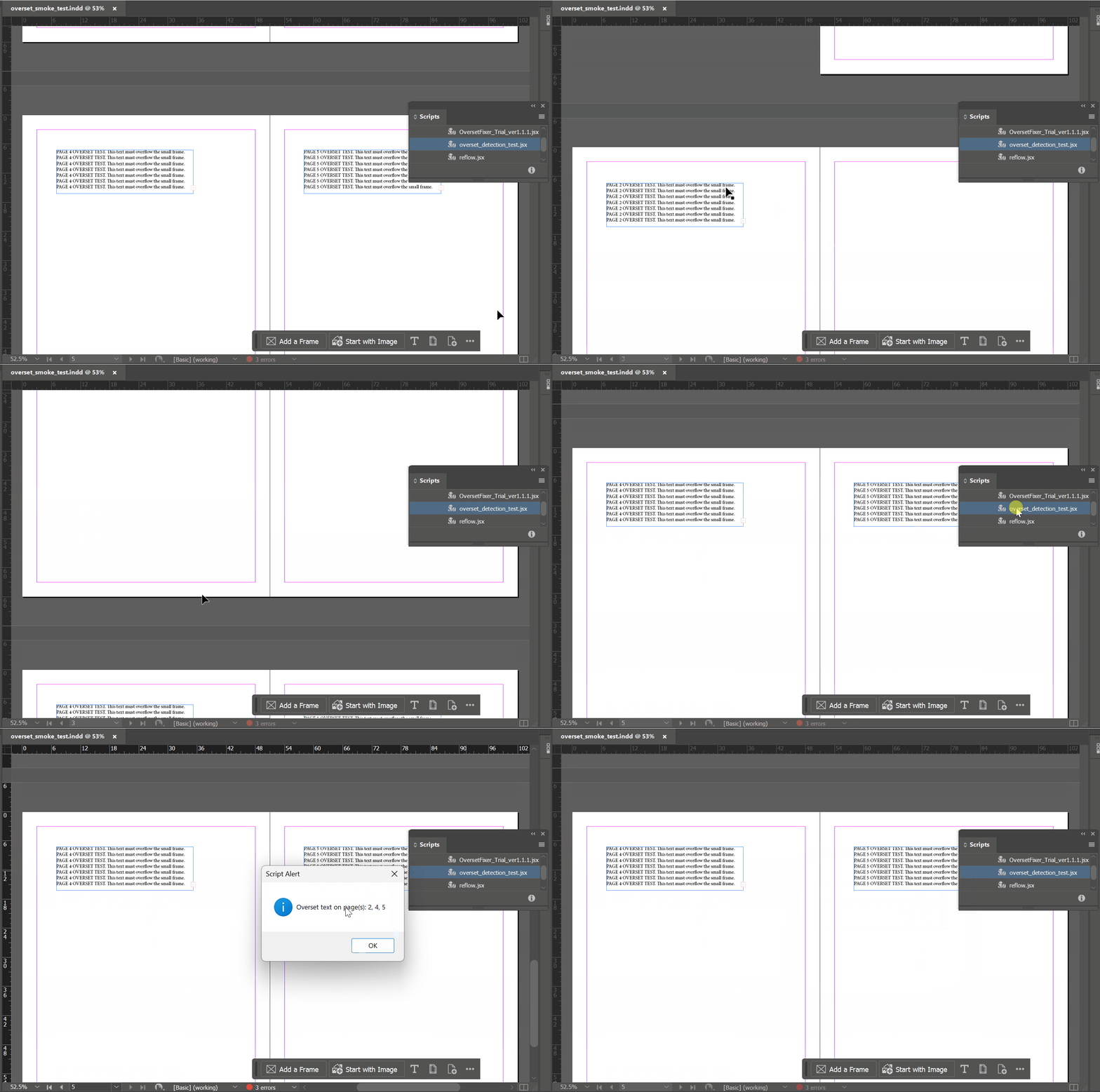
Your First InDesign Script: Which Pages Have Overset Text?
Most InDesign scripting tutorials open with a finished script. This one opens a step earlier: with the smallest useful thing a script can do, and with the decision of what to leave out of it. The goal is one dialog…
-
When InDesign Fails to Export: Start by Finding the Broken Page
InDesign export failures can be difficult to diagnose. A document may open normally, but fail when you try to export it as a PDF. The file may hang partway through, crash the application, or produce an incomplete PDF with no…
-
The Expensive Part of Multilingual DTP Isn't Only the Translation
A finished English layout existed in InDesign — a short quick-start guide, set cleanly, with a type hierarchy and a grid. It needed to exist in Japanese and German as well. The translations were already done. What remained was the…
-
How a Print PDF Should Be Built from HTML
Recently I had a small but common production problem. A report already existed as a designed HTML page — good typography, a cover, a table of contents — and it needed to become a print-ready PDF. Not a screen capture…
-
When Font Replacement Should Happen at the Definition Level in InDesign
Replacing Helvetica with Arial inside document composite fonts InDesign font replacement is not always a text-level task. Recently, I had a small but practical multilingual DTP problem: a Chinese InDesign document used composite fonts, and Helvetica was assigned inside those…
-
A Rule-First Approach to AI-Assisted Terminology QA
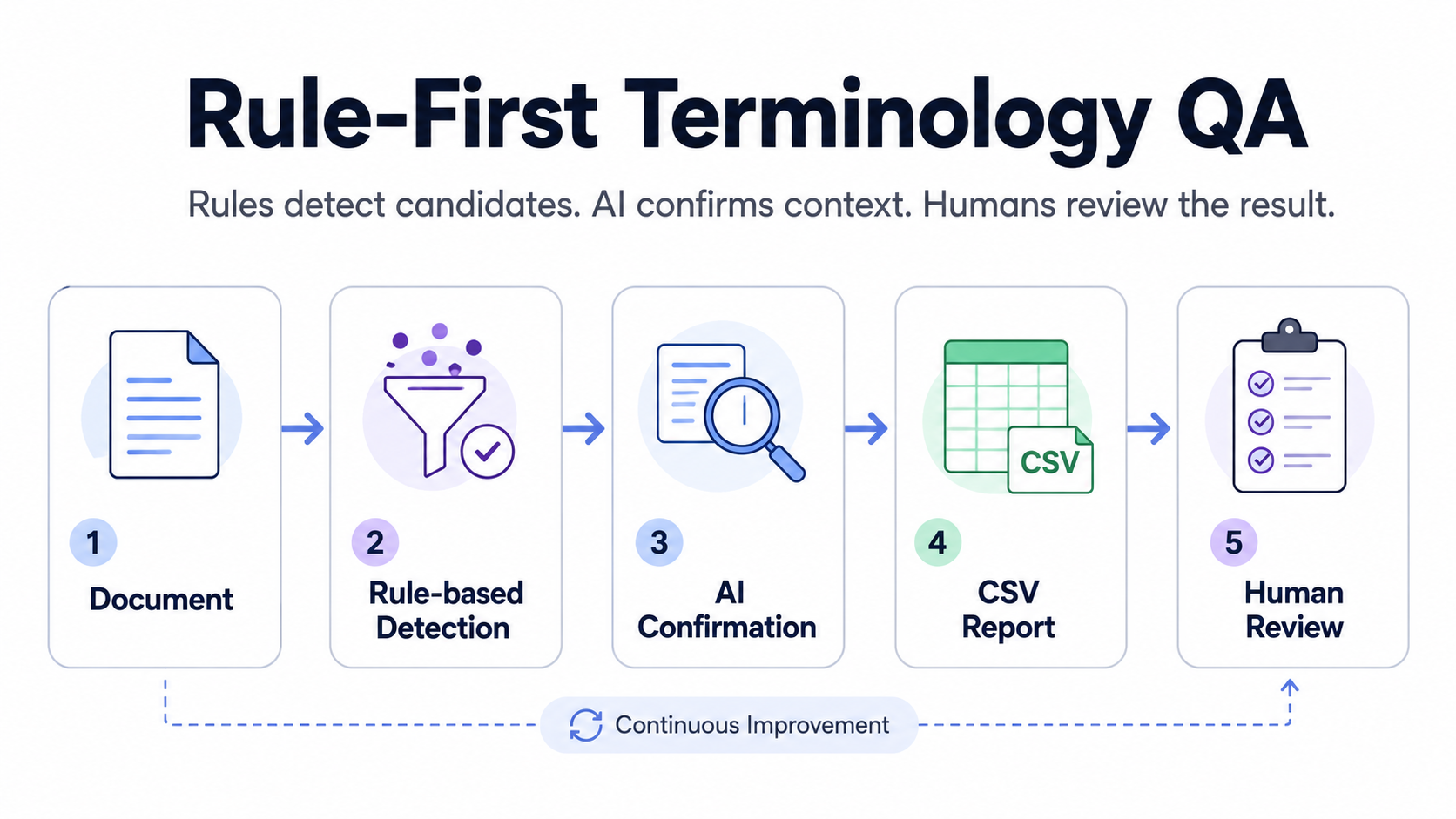
Terminology errors are rarely dramatic. They usually appear as small inconsistencies: one deprecated term, one preferred phrase that was missed, one verbose expression that should have been simplified, or one word that does not match the approved glossary. In technical…
-
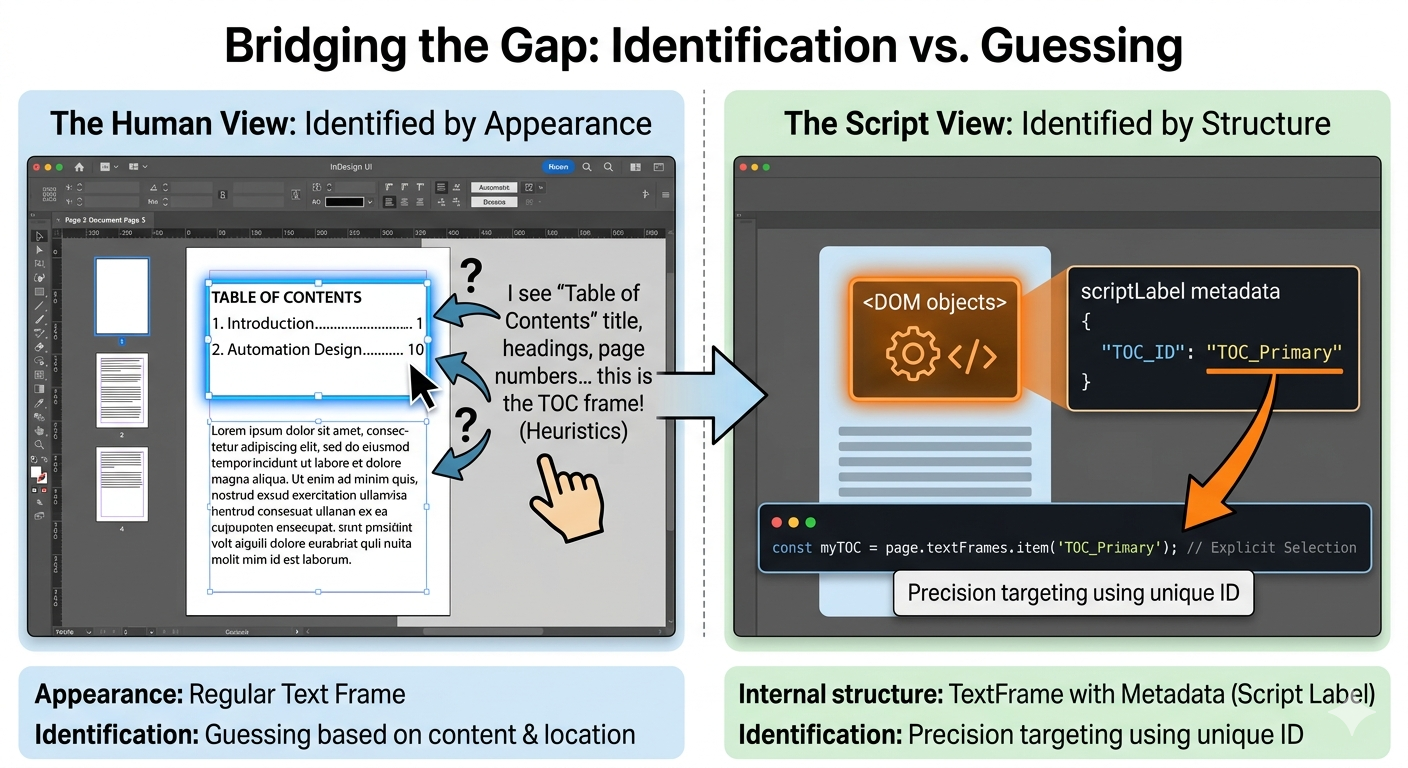
Why TOC Is Hard to Automate in InDesign
InDesign can generate and update a table of contents. But once you try to build automation around it, things get much less straightforward. The problem is not TOC generation itself. The problem is reliable identification. From the scripting side, a…
-
Scaling Multilingual DTP by Detecting Objects Outside the Layout (Low Judgment Workflows)
Where this fits in the series This article completes the automation prioritization framework. In this series, we looked at three key dimensions: What should you automate first High frequency tasks High instability workflows And now, the final piece: Low Judgment…
-
High Instability in Multilingual DTP
Introduction In multilingual DTP, some problems are not difficult — but they are dangerous. Imagine this: You have just finished updating a document in 20 languages. All corrections are complete. All verification checks are done. The project is ready for…
-
High Frequency Tasks Worth Automating in Multilingual DTP
Introduction In multilingual DTP, the difficulty of a task is often less important than how often it appears. Layout adjustments, date updates, missing links, small formatting fixes — none of these tasks are particularly complex. But when they repeat across…
-
What Should You Automate First in Multilingual DTP?
Introduction Automation is everywhere. You can automate layout adjustments, file packaging, PDF export, translation import, style cleanup—the list is long. But if you automate the wrong thing first, your workflow doesn’t scale. It just becomes more complicated. So here’s the…
-
Your First Practical InDesign Automation: Opening and Closing Multiple Files
0. Who This Article Is For This is the second article in the beginner automation series. It assumes you already know how to run a simple .jsx file in InDesign. (If not, please read the first article in this series…
-
Detecting Text Overset in InDesign: A Minimal Script Before Automation
Update (2026-02-18): Fixed a restore issue that could leave a black 1pt stroke in certain environments. Please use the updated script below. Note: In some localized versions of InDesign, the internal name of the built-in “None” swatch may differ. If…
-
Scaling Multilingual DTP – Maintenance / Recovery: When and How to Clean Up InDesign Files with IDML
0. Why This Article Exists Recovery as Part of Scaling The Scaling Multilingual DTP series has covered the parts that are easier to systematize: pre-export for translation (IDML export from books) automation before/after translation (style reloads, relinking) final QA (PDF…
-
Scaling Multilingual DTP by Creating an Escape Hatch for Layout Adjustment (Shrinking All Placed Images at Once)
0. Context: Why Layout Adjustment Stops Scaling After Translation In multilingual publishing, text expansion after translation is expected. The real problem is not that layouts need adjustment, but that the adjustment work does not scale . Line spacing and paragraph…
-
How to Run JavaScript in Adobe InDesign (Without Learning JavaScript First)
0. Who This Article Is For This article is for InDesign users who don’t want to “learn JavaScript” — they just want to make InDesign do the work. You may have seen scripts, automation examples, or .jsx files before, but…
-
Scaling Multilingual DTP by Automating Mandatory Text Checks in PDFs Before Delivery
In multilingual documentation workflows, the final deliverable is often a PDF. Even when layout, links, and styles are correct, a document can still fail for a very simple reason: a required text string is missing. Typical examples include: Safety headings…
-
Scaling Multilingual DTP by Automating Language-Based Image Relinking in InDesign
When working on multilingual documents, it’s common for placed images to exist in language-specific variants. A typical pattern looks like this: diagram_EN.ai diagram_DE.ai Before or after translation, these images must be relinked to the correct language version. Doing this manually…
-
Scaling Multilingual DTP by Automating Style Reloads Before Translation
Why styles must be reloaded before or after translation In multilingual publishing, layout problems are not caused by text expansion alone. When translating from English into Asian languages, fonts and typographic rules are completely different. Even when translating into languages…
-
Scaling Multilingual DTP by Automating Trados-Ready IDML Export from InDesign Books
Why IDML is required before translation If you work with Trados, you already know this: InDesign .indd files cannot be processed directly. They must be converted to .idml first. For a single document, that’s trivial. Press Ctrl+E , choose IDML…
-
Scaling Multilingual DTP by Eliminating Manual InDesign Text Overset Fixes
Update: Overset Fixer Pro is now available on aescripts. Now supports installation via aescripts Manager. Are you struggling with text overset after translation? If you work in multilingual publishing, you’ve probably run into this problem more times than you can…
-
When Times New Roman Suddenly Vanished from InDesign
Recently at work, I ran into a strange and frustrating issue in Adobe InDesign : Times New Roman suddenly started appearing as an unsupported font. This happened completely out of the blue — the same documents had been fine just…
-
Close All InDesign Files with One Click: A Script for Busy Designers
As a technical writer and InDesign user, I often find myself working with a large number of open InDesign files at the same time. You might know the feeling—at the end of a busy day, you just want to close…
-
Rename Linked Files Easily in InDesign
This post is about a paid script for Adobe InDesign. 1. Introduction Renaming linked images in Adobe InDesign can be tedious — especially when they appear in multiple documents. To solve that, I’ve created a small script that renames and…
-
Automatically Replacing Helvetica Fonts in Adobe InDesign with a JavaScript Script
Update — July 2026 Since this article was published, Adobe has added Helvetica and Helvetica Neue to Adobe Fonts. For paid Creative Cloud subscribers, activating the appropriate Helvetica family should now be the first option when opening documents with missing…